Timeline
Q3 2023 (5–6 Weeks)
My Role
Sr. Product Designer
(Design Owner)
Platform
Web Dashboard
Stakeholders
Principal PM
CXO
Executive Summary
This case study explores the redesign and enhancement of Multiplier's insurance platform to address critical gaps in coverage flexibility, global compliance, and user experience.
The existing system was built for simplicity, but it didn’t hold up as we expanded globally. Operating across borders meant our clients were struggling with rigid systems that couldn't adapt to local laws or bespoke HR policies.
This created both user and business problems:
- limited adoption of insurance plans
- compliance risks in key markets
- operational inefficiencies during onboarding
By introducing a robust architecture capable of managing diverse insurance tiers alongside intelligent, country-specific default configurations, we empowered HR administrators, enhanced employee satisfaction and created a highly scalable foundation to increase the platform's revenue potential and future growth.
The Result
- 9% Increase in projected platform revenue
- 100% Adherence to localized compliance standards
- ~30% Reduction in operational overhead and support tickets
Business Context & Challenge
As Multiplier expanded into more countries, insurance quickly became harder to standardize.
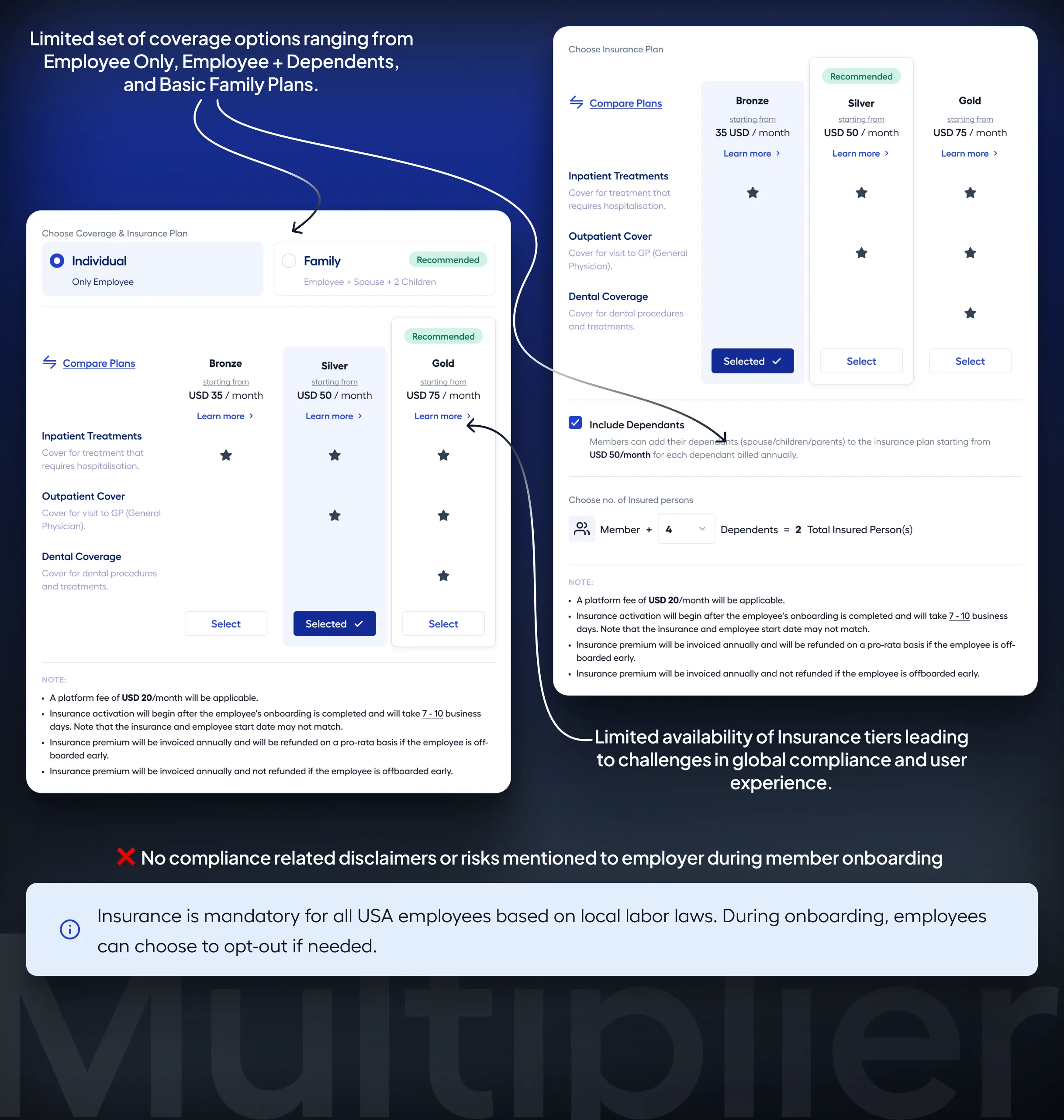
The original system was designed for simplicity. It supported a limited set of coverage types:
- Employee only
- Employee + dependents
- Basic family plans
This worked early on, but began breaking down as we scaled globally.
Different markets had fundamentally different needs:
- In some regions, employees preferred covering only a spouse or children due to cost sensitivity
- In others, compliance required specific coverage combinations
- Certain customers demanded plans like High Deductible Health Plans (HDHPs), which the system couldn’t support
At the same time, insurance was becoming a meaningful business lever:
- Family plans generated ~2.7x higher premiums than individual plans
- Insurance adoption influenced contract duration and retention
- Default plans and compliance-driven offerings had clear revenue upside (~$200K–$400K ARR potential across markets)
This wasn’t just a UX problem.
It was a product, compliance, and business problem combined.
Where the System Broke
As I dug deeper, the issues surfaced across three interconnected areas — flexibility, compliance, and operations.
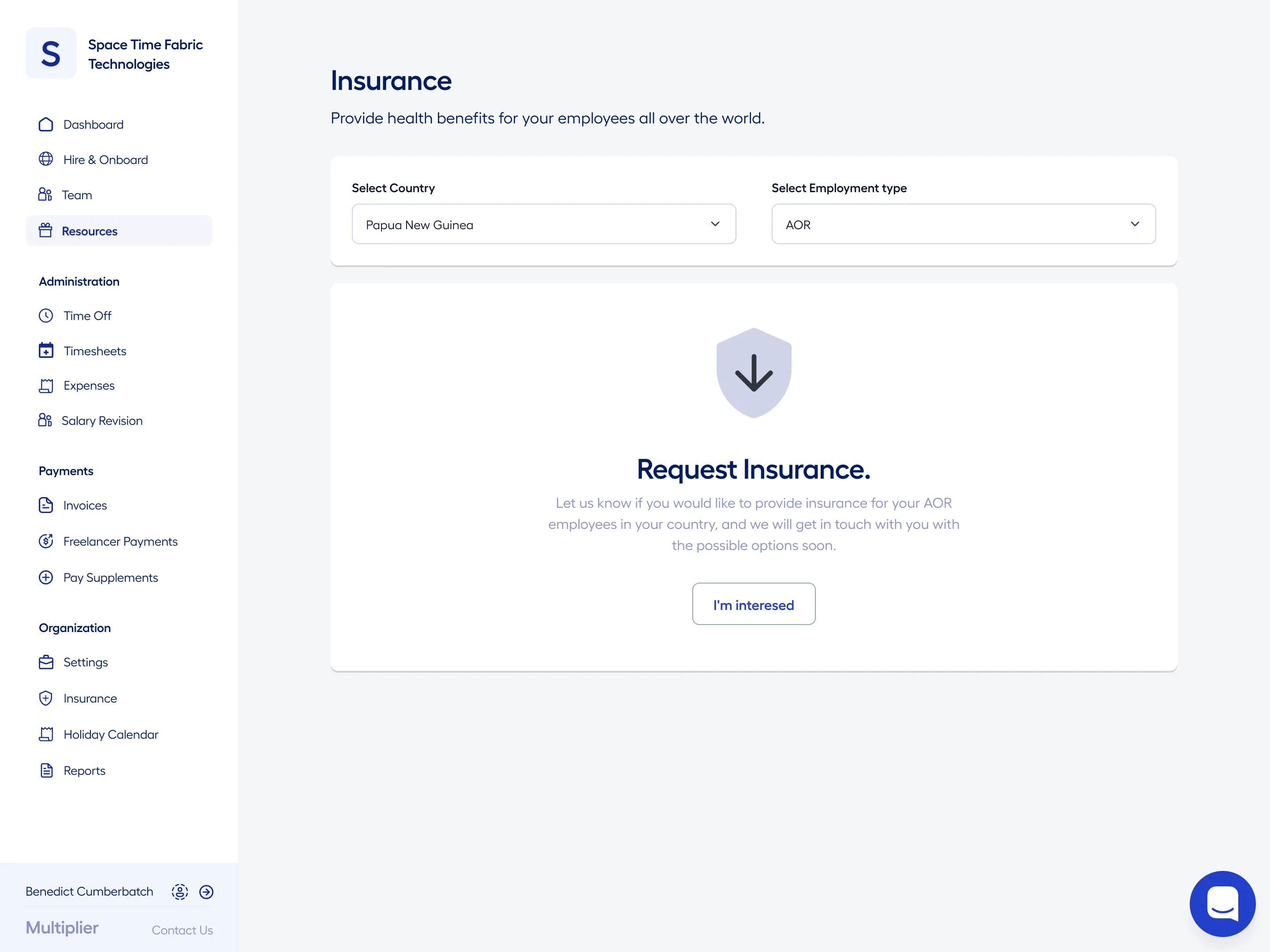
Coverage options were hardcoded and didn’t reflect real-world needs across countries.
For example:
- There was no support for Employee + Spouse or Employee + Children in several markets
- Plans like HDHPs, commonly requested by US customers, weren’t available
- Users were often forced into either minimal or overly expensive plans
This created a clear mismatch between user needs and system capabilities — directly impacting adoption and conversion.

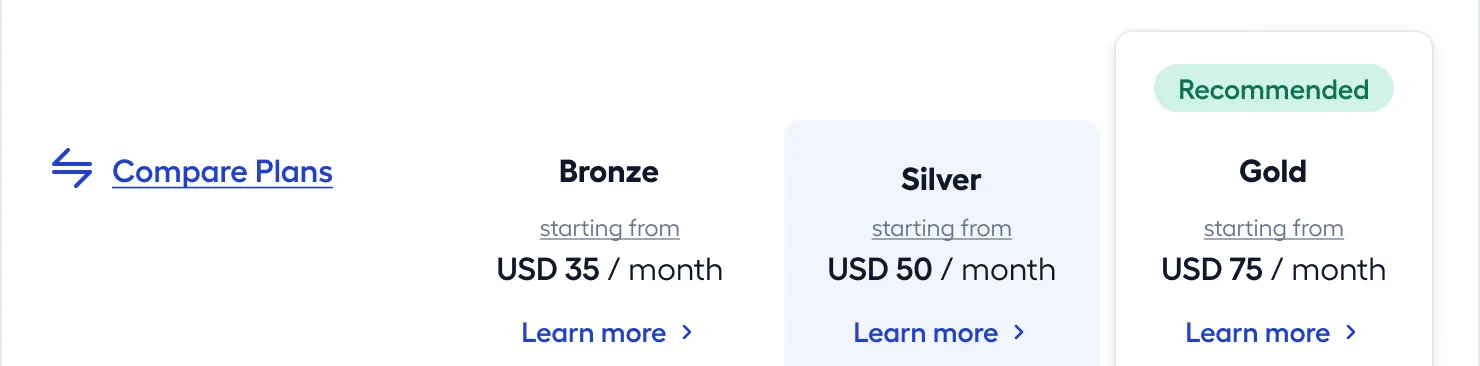
The system didn’t enforce or guide compliance effectively, which became critical in certain regions.
For example:
France
- Employers are required to cover employees and their children
- The system only offered:
- Employee Only
- Employee + Spouse + Children
- This made it impossible to configure compliant plans
United States
- A significant number of employees lacked insurance due to:
- limited plan flexibility
- high cost of full family plans
- Research showed that 30–40% of employees preferred partial dependent coverage, which wasn’t supported
This led to:
onboarding confusion
compliance risks
lower trust in the platform
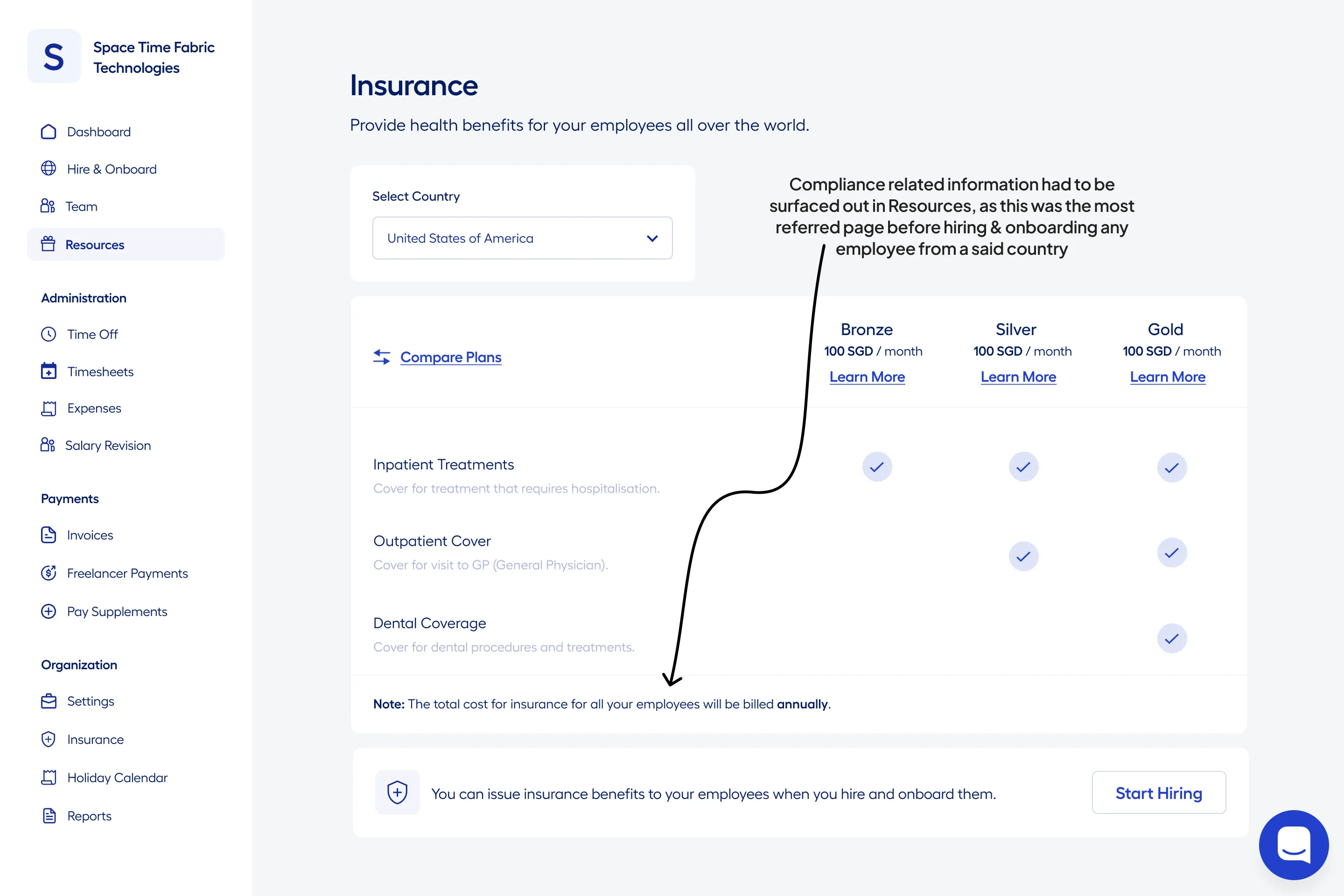
Because the system lacked flexibility and defaults, operations teams had to compensate manually.
HR teams were:
selecting plans for each employee
verifying compliance across geographies
managing inconsistent benefit allocation
On average, this took ~45 minutes per employee and frequently resulted in errors.
This also created downstream issues:
delays in onboarding
inconsistent employee benefits across regions
increased dependency on support teams
The system didn’t scale — it relied heavily on human intervention.
What This Meant in Practice
Looking across these issues, a clear pattern emerged:
- Users didn’t lack options — they lacked the right options for their context
- Compliance wasn’t built into the system — it was left to users and ops teams to figure out
- The system didn’t reduce effort — it shifted complexity onto people
These weren’t isolated problems.
They were symptoms of a system that wasn’t designed to scale across geographies.
My Role & Scope
I led the design of this initiative across insurance configuration and onboarding.
My focus was on:
- expanding coverage flexibility without increasing complexity
- embedding compliance into the system instead of relying on manual checks
- reducing operational effort through defaults and automation
- aligning user needs with business and revenue goals
"I worked closely with product, engineering, and customer experience teams, making trade-offs to ensure we could deliver meaningful improvements within a constrained timeline."
Approach
I approached this as a system redesign problem, not a UI update.
Instead of layering more options onto an already constrained model, I focused on rethinking how the system should behave at scale.
This involved:
Understanding how coverage needs vary across geographies
Identifying where flexibility was required vs where standardization could reduce complexity
Introducing defaults to minimize manual effort during onboarding
Designing for both configuration (admin control) and scalability (system-driven behavior)
The goal was to create a system that:
adapts to different markets without becoming harder to manage
Key Decisions
Based on the problem space, I focused on introducing structure into the system rather than layering more options on top of it.
The solution came together through a set of key decisions that addressed flexibility, compliance, and operational scale.
| Decision | Purpose |
|---|---|
| Flexible Coverage Configuration System | Enable multiple coverage combinations and plan tiers to match real-world needs across geographies |
| Insurance Settings Dashboard | Centralize insurance configuration with country-specific defaults, cost controls, and global visibility |
| Compliance-Aware System | Embed compliance into system logic through mandatory rules, defaults, and clear indicators |
| Automated Plan Assignment | Reduce manual effort through location-based defaults, role mapping, and bulk operations |
| Exception Handling Framework | Allow flexibility for edge cases while maintaining structure, traceability, and compliance |
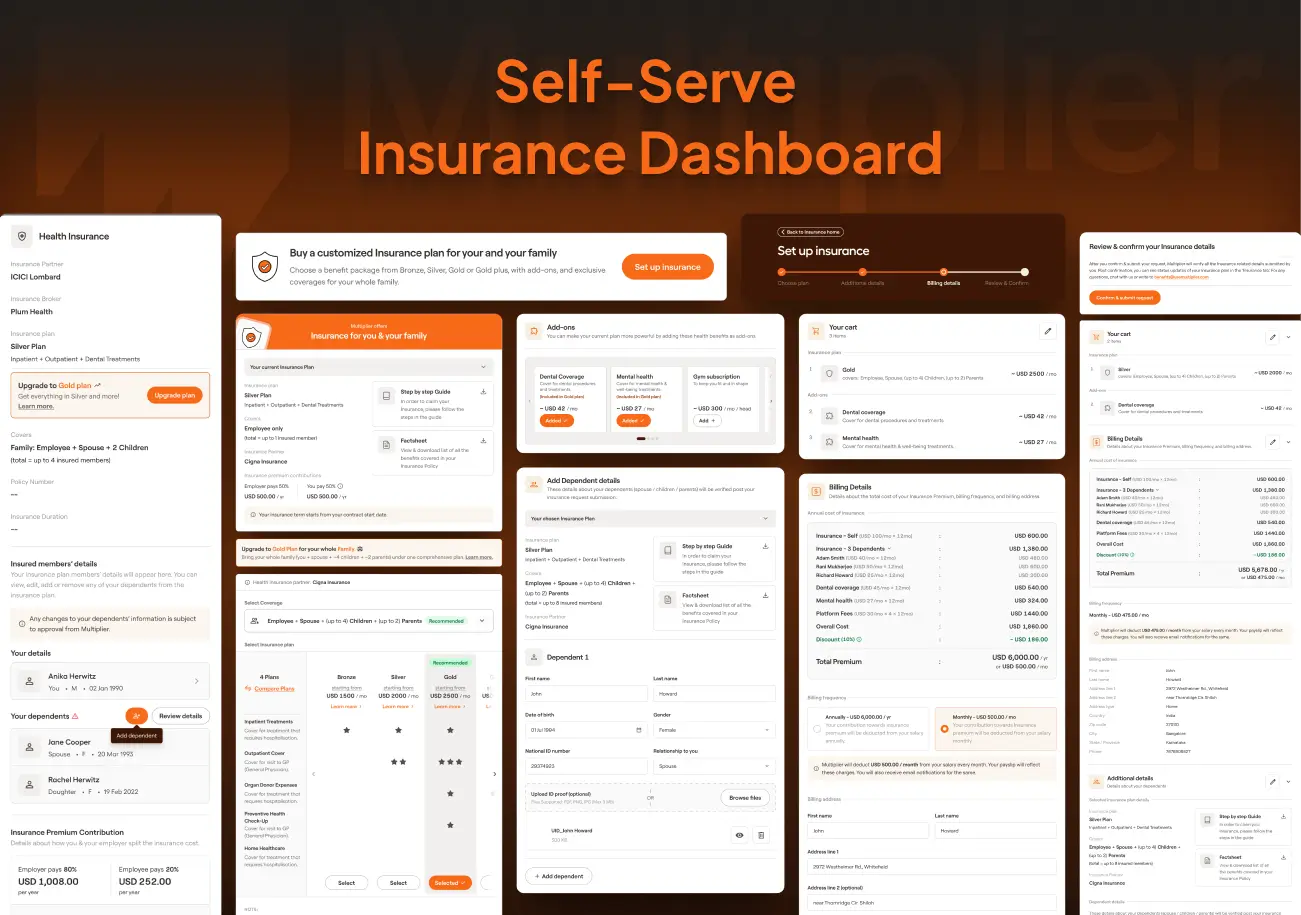
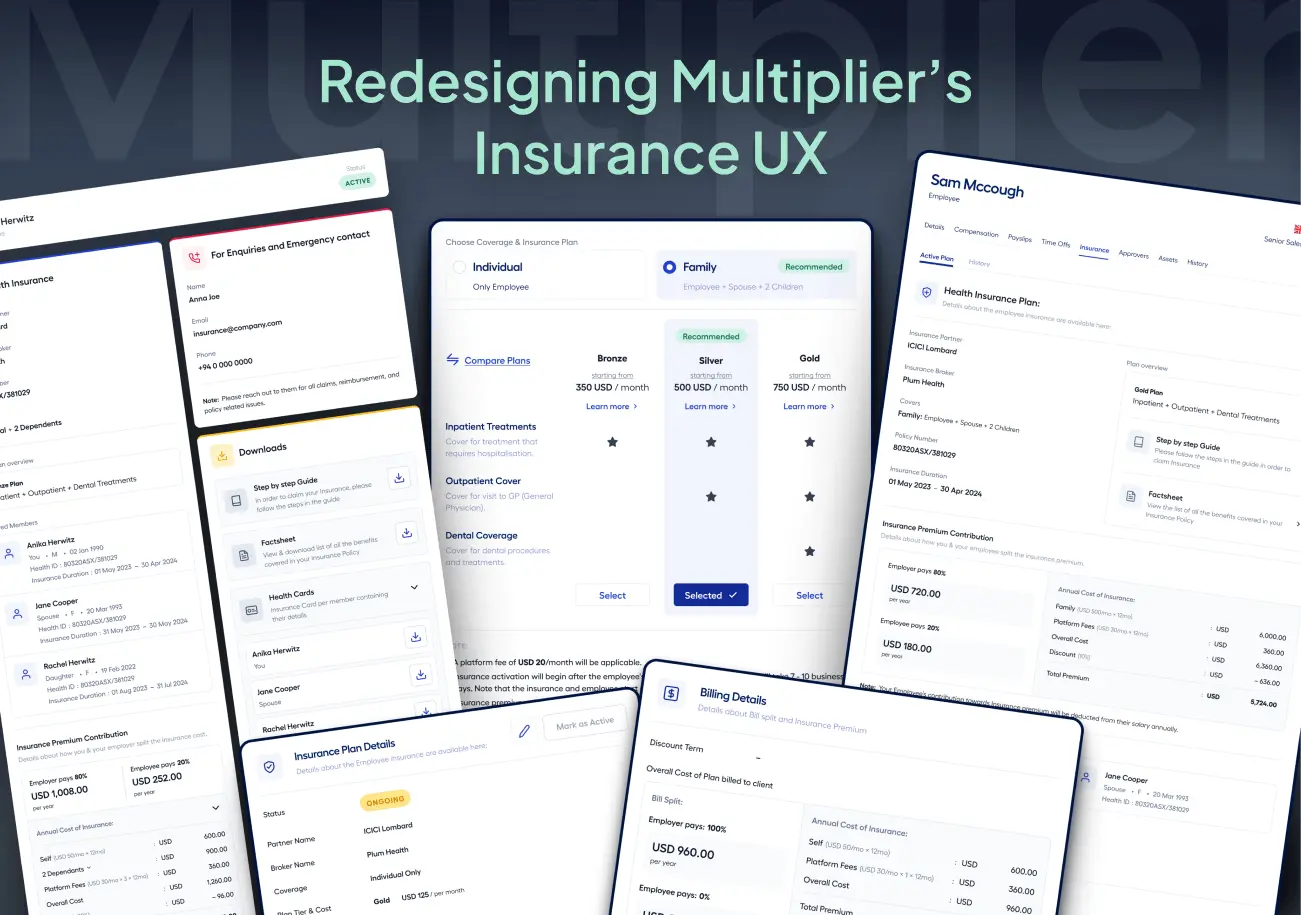
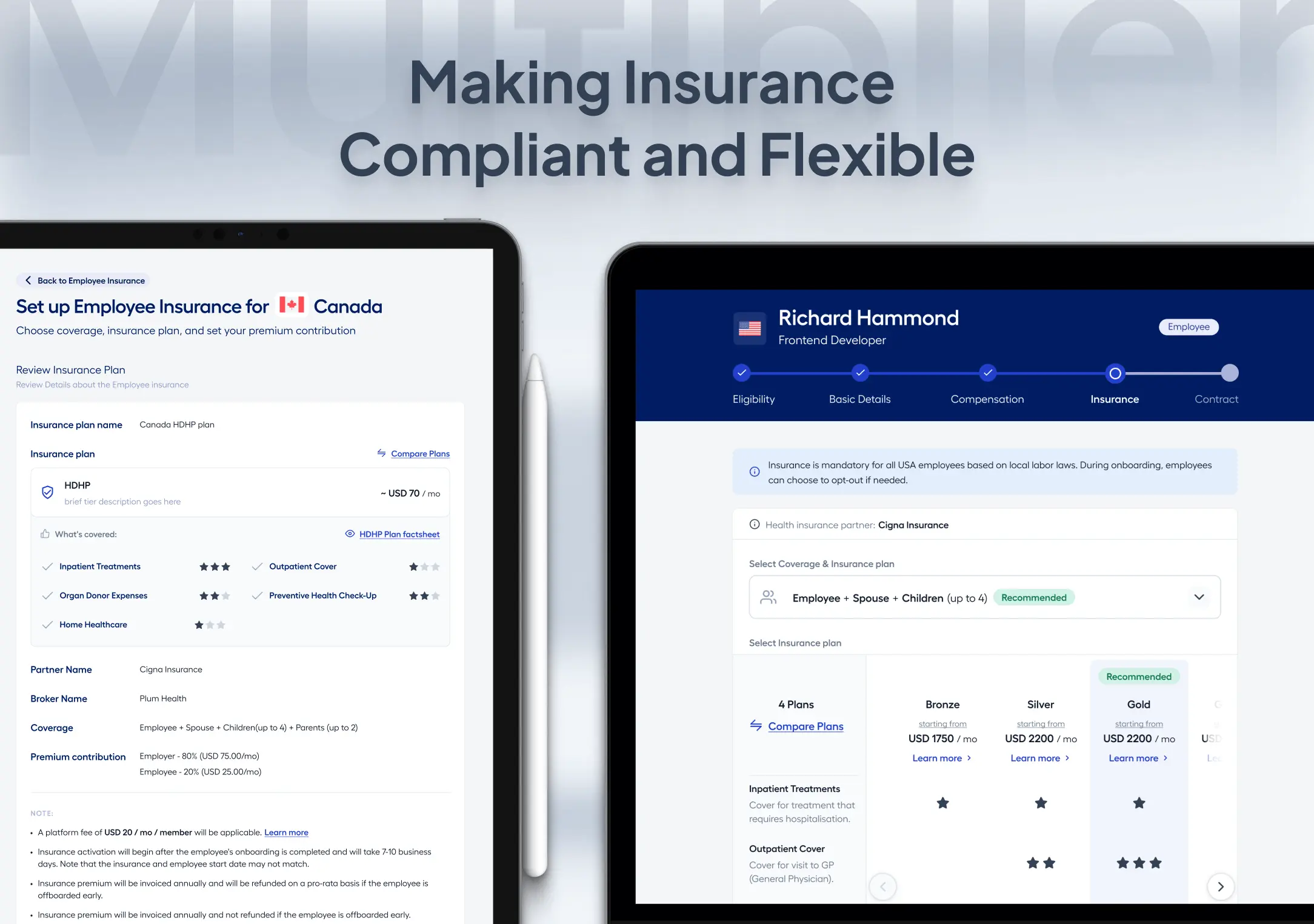
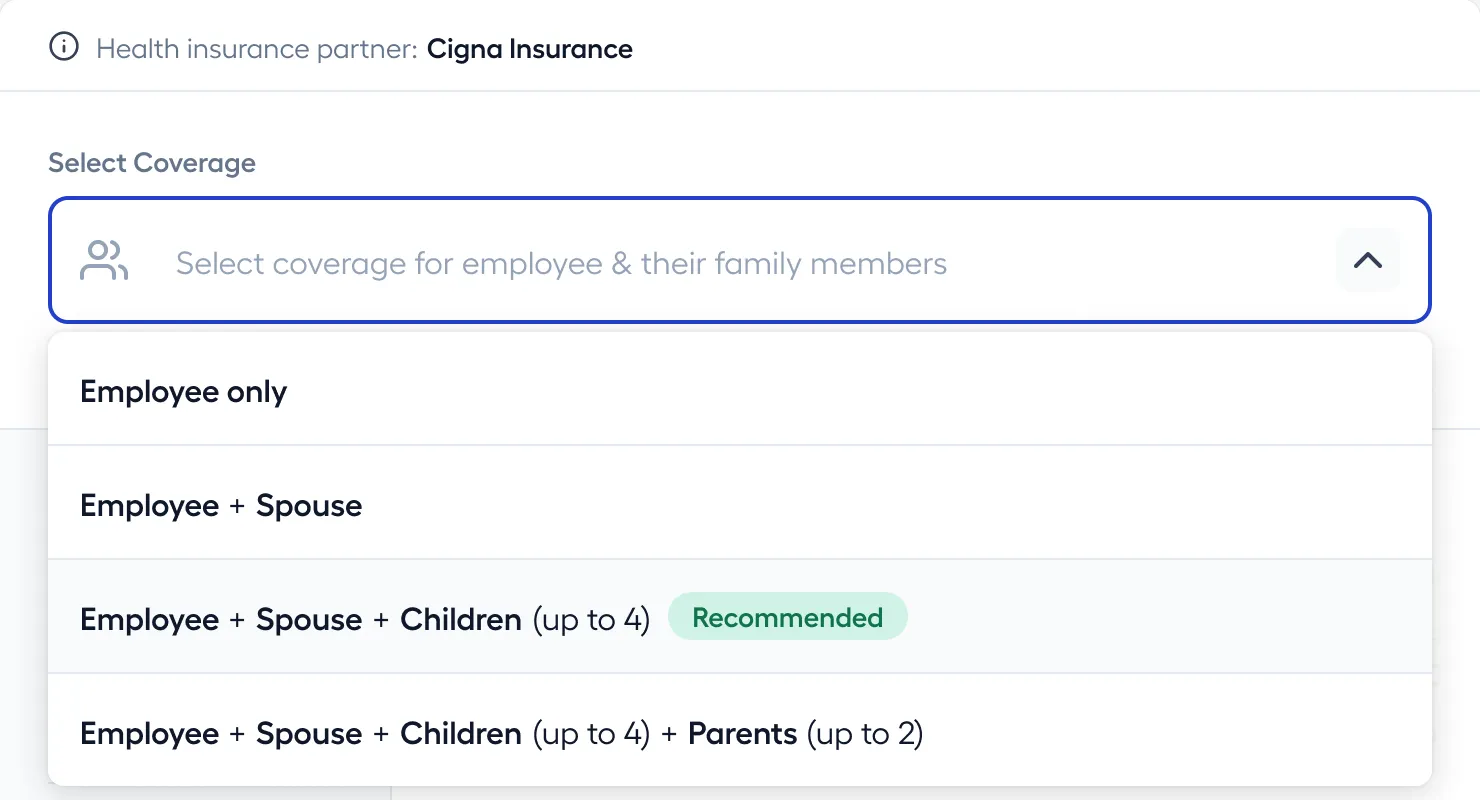
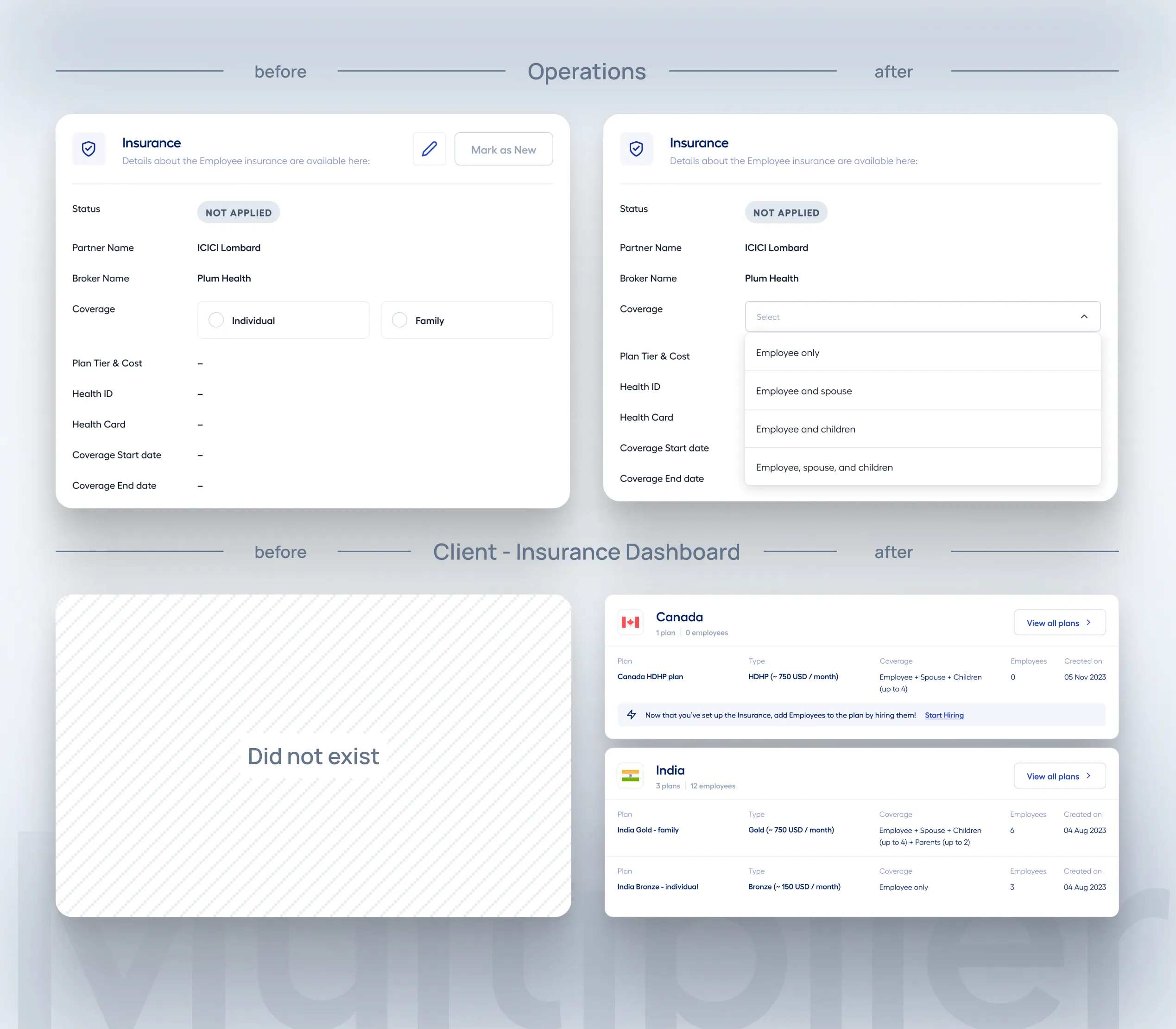
1. Introduced a flexible coverage configuration system
The existing system was rigid and couldn’t support real-world insurance needs across geographies. I replaced it with a flexible coverage model that allowed multiple combinations, including:
Employee Only (EO)
Employee + Spouse (ES)
Employee + Children (EC)
Employee + Parents (EP)
Employee + Spouse + Children (ESC)
Employee + Spouse + Children + Parents (ESCP)
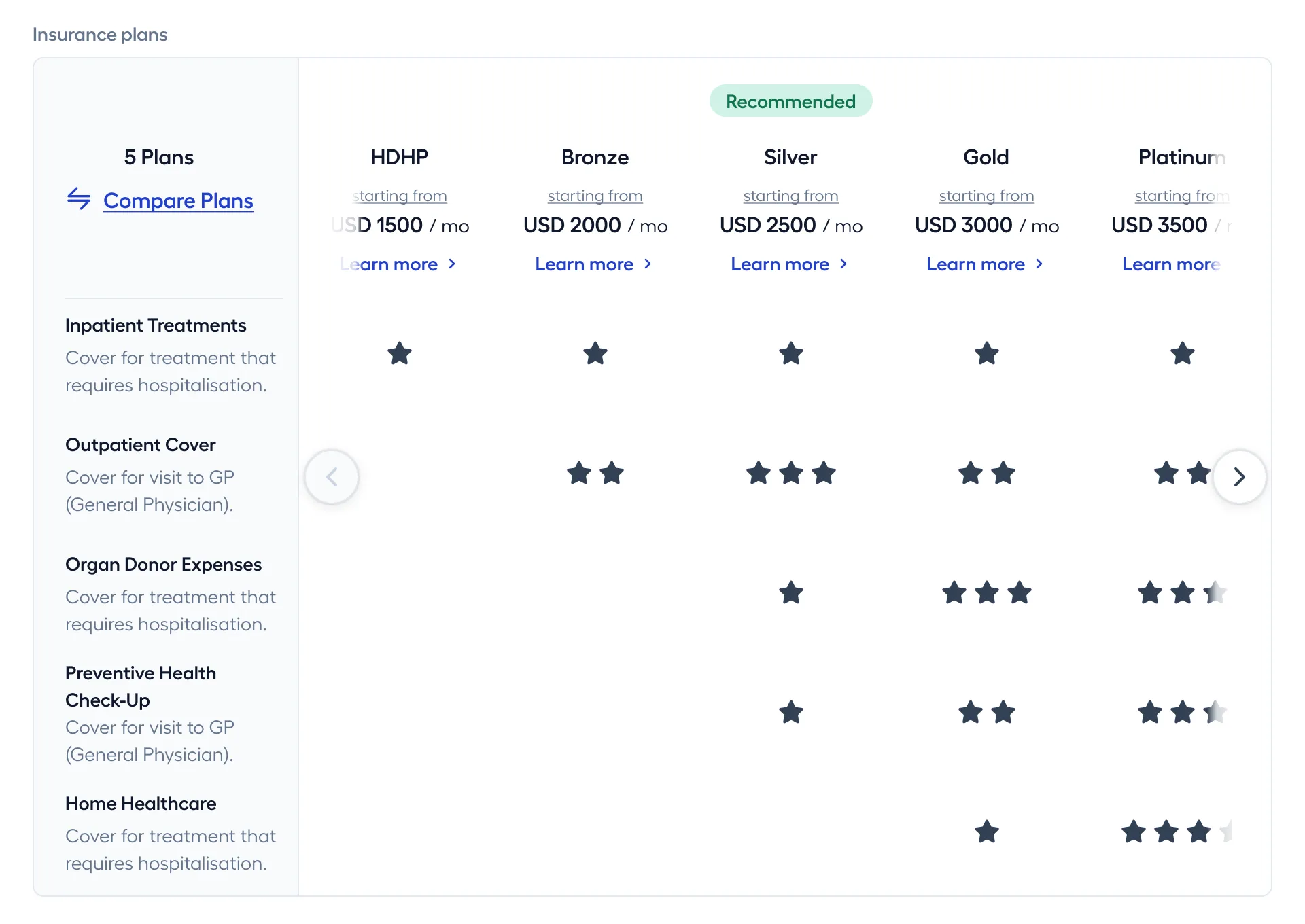
To support cost variation and user preferences, I also introduced structured plan tiers:
Platinum
Gold
Silver
Bronze
HDHP
(High Deductible
Health Plans)
This allowed organizations to configure plans based on:
- regional preferences
- cost sensitivity
- compliance requirements
Instead of forcing users into predefined options, this flexible system allowed organizations to offer plans that better matched real-world needs across regions.
2. Built a centralized Insurance Settings system
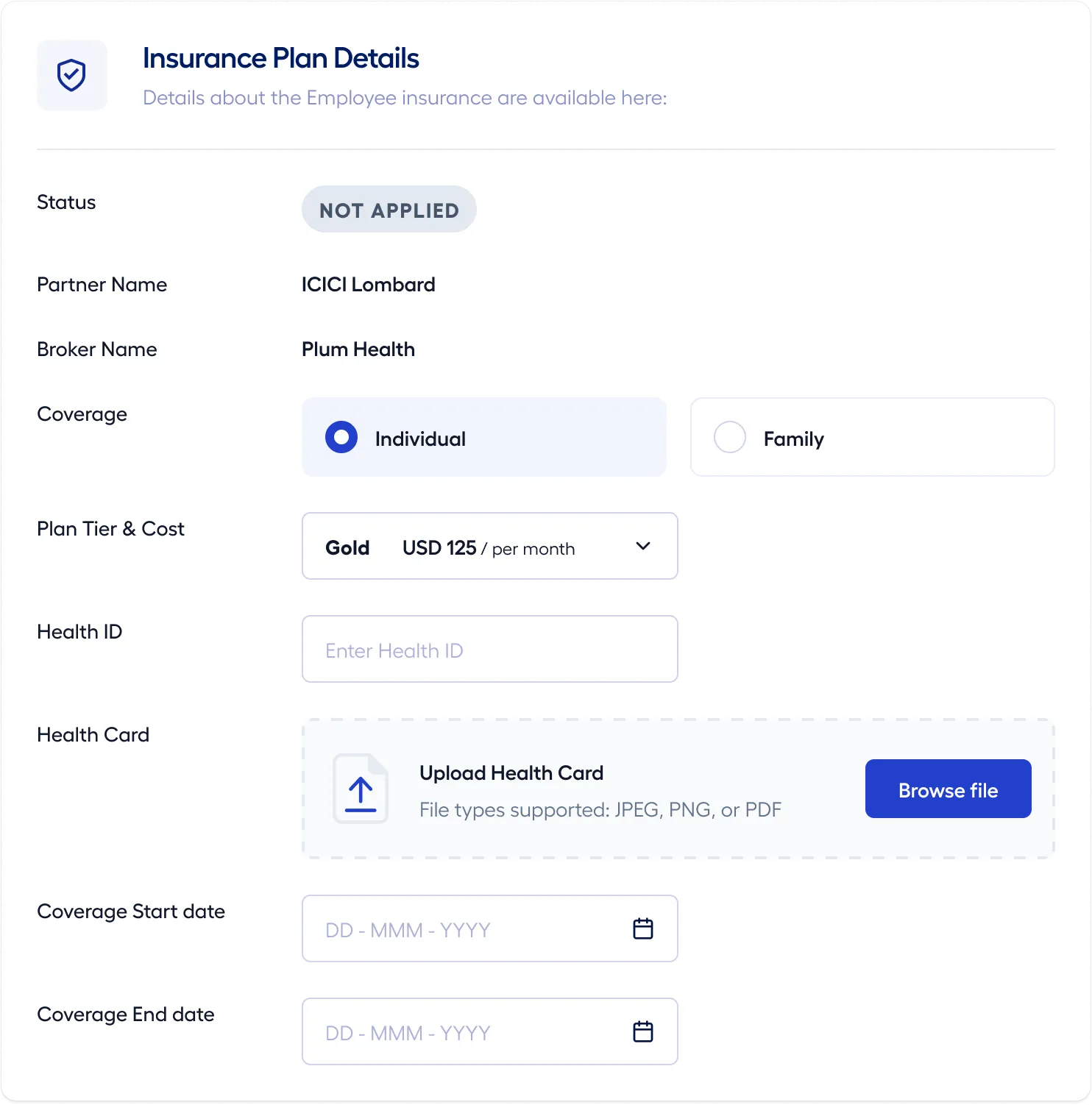
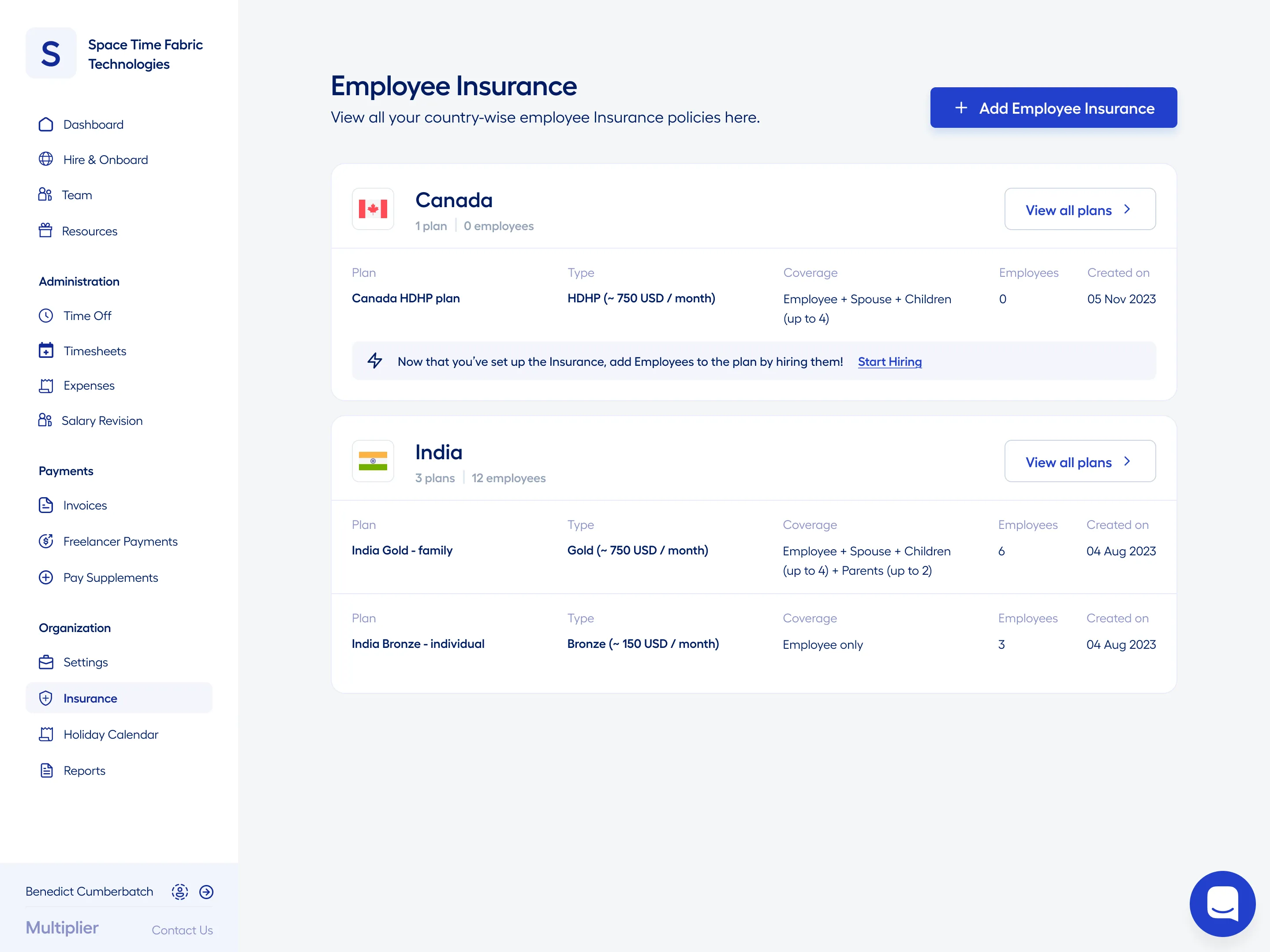
One of the biggest gaps was the absence of a central system to manage insurance across countries. I introduced an Insurance Settings dashboard that acted as the control layer for the entire system.
It allowed teams to:

Define country-specific default plans

Configure coverage combinations per geography

Manage Employer vs Employee cost splits

Monitor and enforce compliance requirements
This brought three critical improvements:
- consistency across onboarding
- reduced manual setup effort
- better visibility into how insurance was configured globally
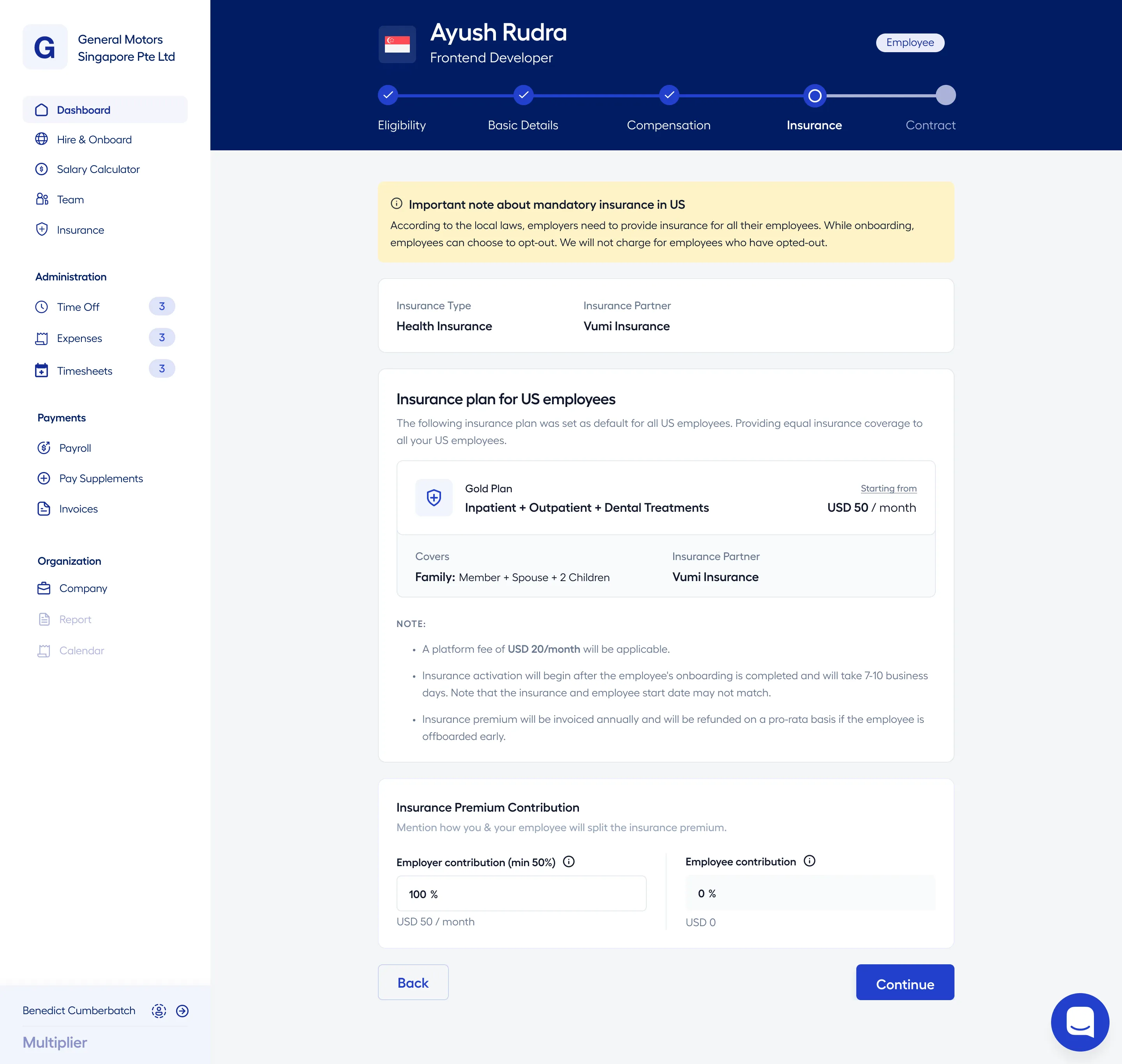
This shifted insurance configuration from a fragmented workflow to a structured system.
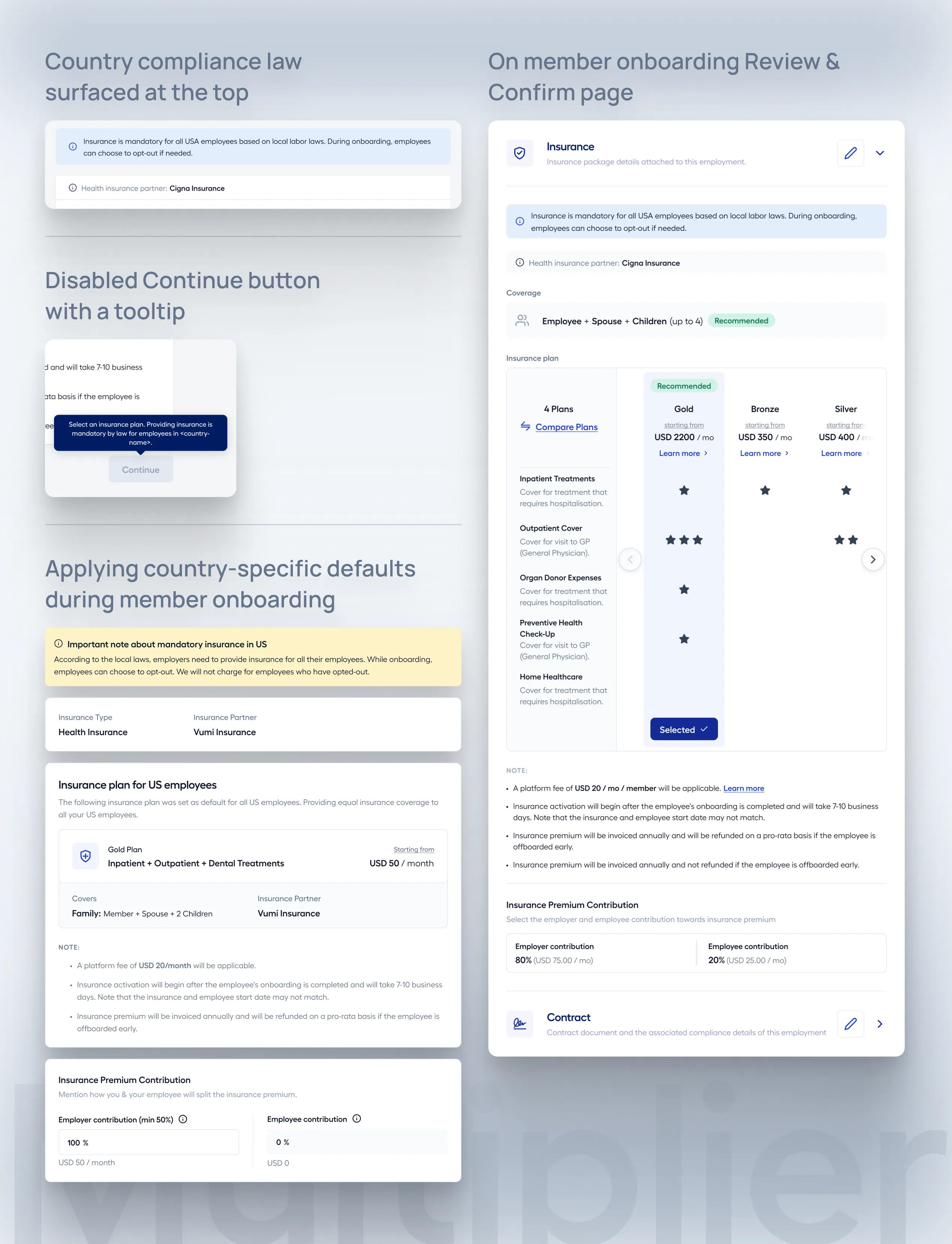
3. Embedded compliance directly into the system
Earlier, compliance was something users and ops teams had to figure out manually. I moved this responsibility into the system itself.
This included:
- enforcing mandatory insurance rules in countries like France and UAE
- applying country-specific defaults during onboarding
- surfacing clear indicators for compliance requirements
Instead of treating compliance as an afterthought, it became part of the system’s logic. This reduced risk and removed ambiguity for both admins and employees.
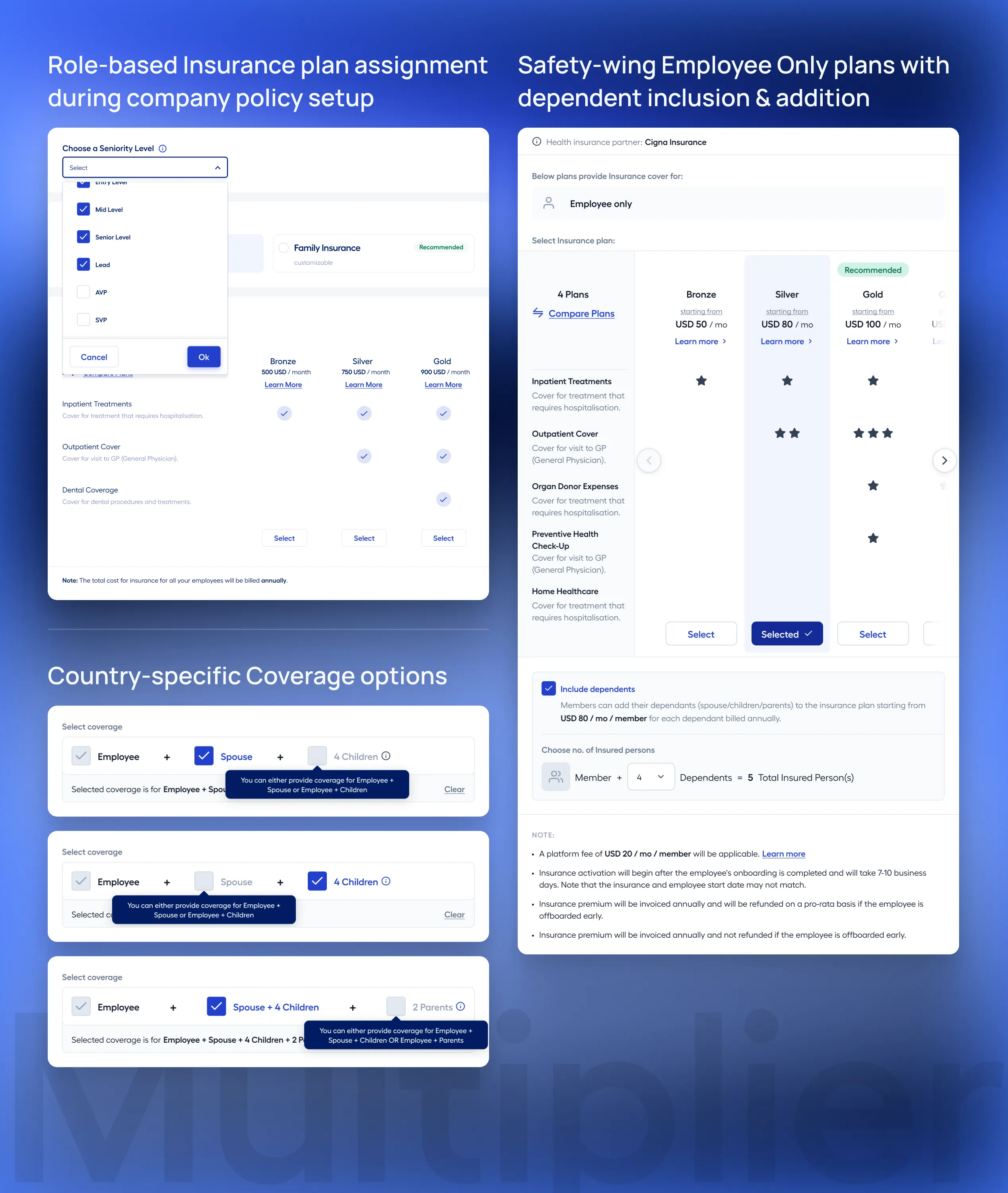
4. Automated plan assignment through defaults and logic
Manual plan selection was one of the biggest sources of inefficiency. I introduced an automated plan assignment system that used:
Location-based defaults
Assign plans based on country requirements.
Role-based mapping
Align coverage with employee roles or hierarchies.
Bulk operations
Update plans for large groups in a single action.
This ensured:
- faster onboarding
- consistent benefit allocation
- reduced dependency on ops teams
The system moved from manual decision-making to guided automation.
5. Designed for exceptions without breaking the system
Even with strong defaults, edge cases were inevitable. Instead of ignoring them or over-complicating the system, I built structured flexibility:
- allowed custom plan overrides
- supported exception handling workflows
- ensured all exceptions were still tracked and compliant
This balance between structure and flexibility was critical.
The system could scale without becoming rigid or fragile.
Key Solution Areas
These decisions translated into three core solution areas across the product:
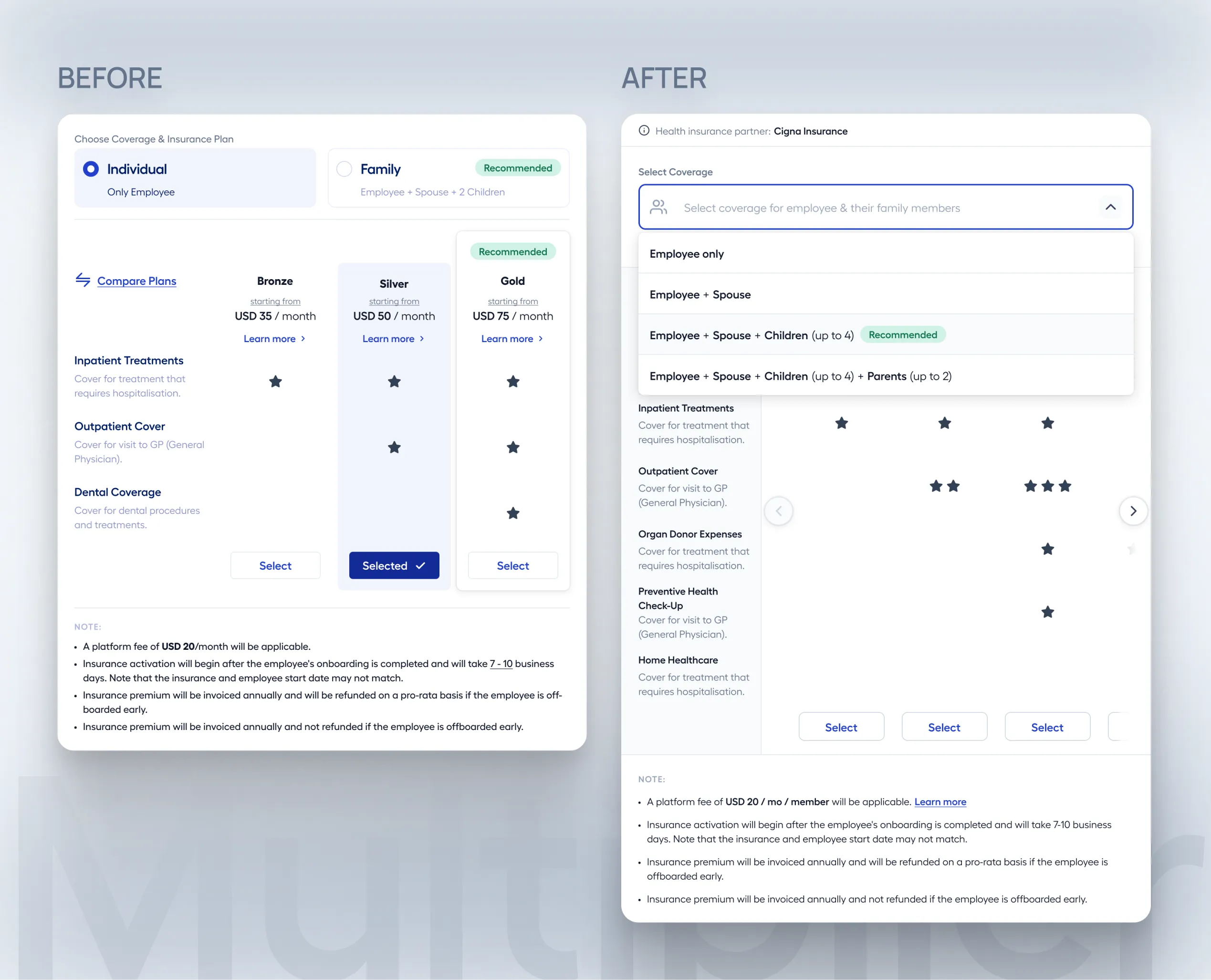
Coverage Flexibility
Expanded coverage types and plan tiers to match real-world needs across geographies.
- Multiple coverage combinations
- Tiered pricing structures
- Support for region-specific preferences
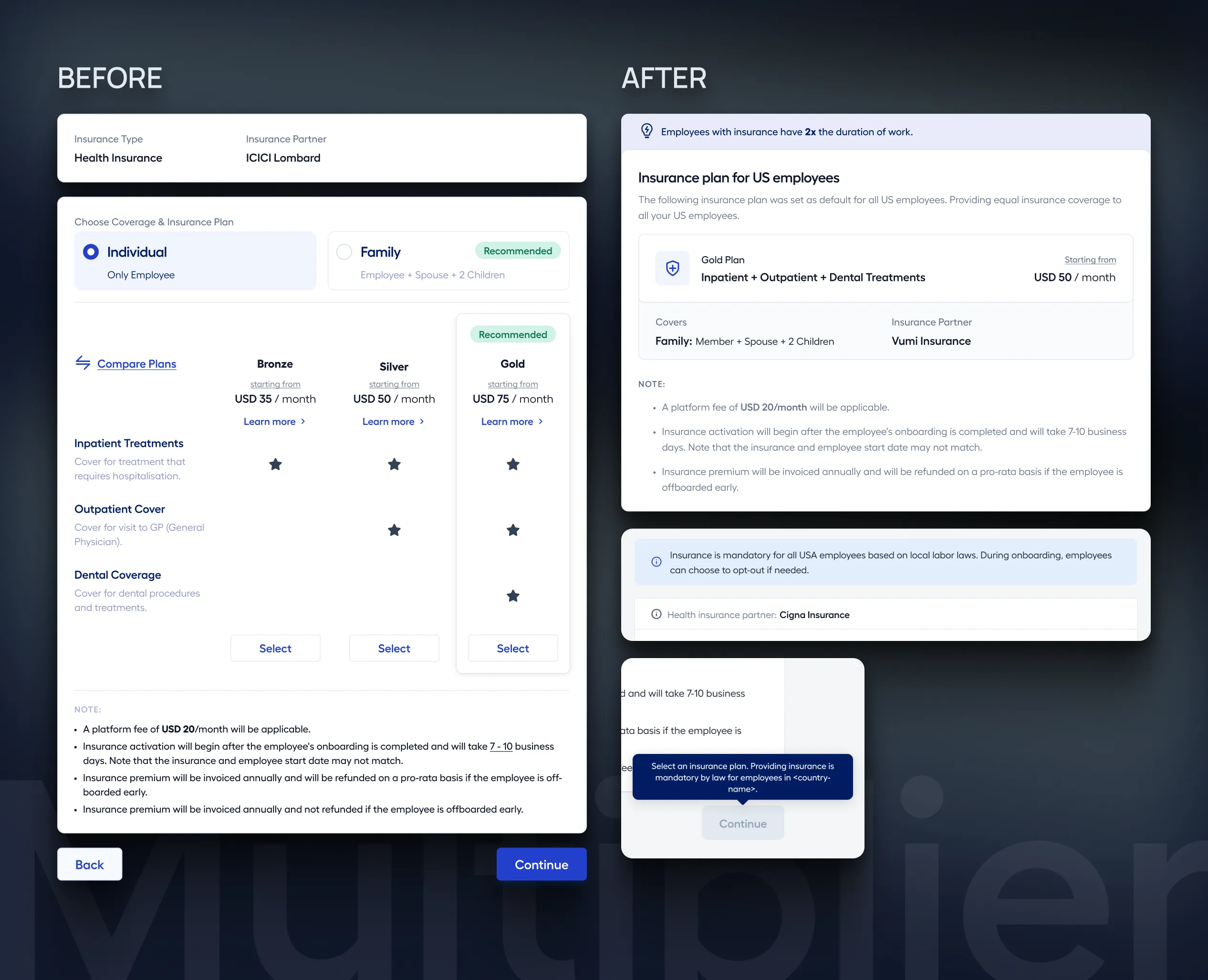
Compliance Management
Integrated compliance directly into onboarding and configuration.
- Country-specific rules
- Mandatory plan enforcement
- Clear compliance indicators
Admin Efficiency
Reduced manual effort through defaults, automation, and centralized control.
- Insurance Settings dashboard
- Automated plan assignment
- Bulk operations and exception handling
Outcomes
The impact of this work showed up across business performance, operational efficiency, and overall user experience.
+26% Attachment Increase~9% Revenue Uplift$105K Annual Impact45% Reduction in Manual Effort
Business Impact
The most immediate impact was on insurance adoption and revenue.
- Insurance attachment rate improved significantly — from 59% to 85% in the US, driven by introducing flexible plans like HDHPs
- Adoption of dependent and mid-tier plans increased, especially in markets where full family plans were previously too expensive
- Overall, the system contributed to a ~9% increase in insurance-driven revenue
- Improved onboarding clarity and reduced friction also led to a noticeable increase in NPS and customer satisfaction
By aligning coverage options with real-world needs, the system was able to drive both adoption and retention.
Financial Impact
The changes translated into measurable revenue gains.
- Net projected impact of ~$105K annually from improved plan adoption and pricing structures
-
Revenue uplift driven by:
- users upgrading from no insurance to partial coverage
- users moving from individual to dependent plans
- increased uptake of mid-tier offerings
This wasn’t just incremental improvement — it validated insurance as a scalable revenue lever within the platform.
Operational Impact
One of the biggest shifts was in how the system reduced operational dependency.
- Significant reduction in manual effort for plan selection and onboarding
-
Elimination of repetitive admin tasks through:
- automated plan assignment
- country-specific defaults
- bulk operations
- Faster onboarding with fewer errors and inconsistencies
- More consistent benefit allocation across regions
The system moved from being ops-dependent to system-driven.
User Experience Impact
The improvements were equally visible in how users interacted with the product.
- Clearer visibility into coverage options helped employees make more informed decisions
- Built-in compliance increased confidence for both HR teams and employers
- Reduced delays and fewer support touchpoints improved the overall onboarding experience
- Better support for global teams ensured more equitable and relevant benefits across regions
Instead of navigating constraints, users could now engage with a system that adapted to their needs.
Reflection
This project pushed me to think beyond interface design.
The challenge wasn’t just improving usability — it was aligning:
- user needs
- compliance requirements
- business goals
The real shift came from treating insurance as a configurable system, not a fixed offering.
By introducing flexibility where needed and structure where it mattered, we were able to:
- scale across geographies
- improve adoption and revenue
- reduce operational friction
without making the system harder to manage.